- Views: 578
- Replies: 12
Overview
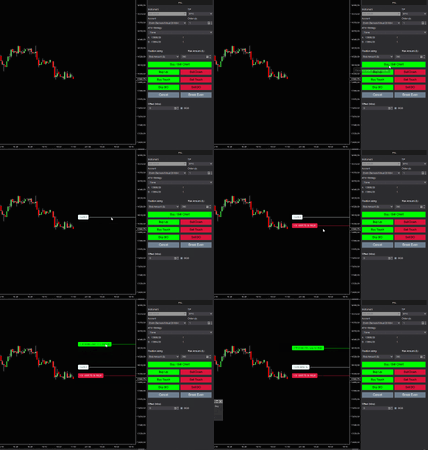
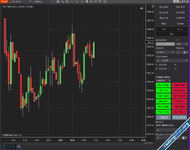
The advanced trade panel is a trading toolfor all traders. It allows you toset up your order in a fast and easyway with the click of the button orhotkeys. No matter if you are trading breakouts, support/resistance, Fibonacci, or any other strategy. This tool willtrack your entry priceandenter at the exact correct time.For breakout traders, this trade panel canautomatically open a trade when price breakouts of a range or triangle.
If you are a price action, range, or trend trader then it canautomatically open a trade when the price bounces of a support/resistance lineor simplybuy/sell when the previous bar hi/lo gets broken.
and for Fibonacci traders, this trade panel canautomatically enter a new order when the price hits a 50% retracement
Feature list
- Quick order placement using hotkeys or a simple mouse click
- Manually practice and test your trading strategies
- Advanced position sizing based on risk $ / trade, risk % / trade of just fixed contracts or using the NinjaTrader ATM
- Auto trade breakouts, ranges, wedges, and more
- Auto trade touches of S&R lines, trend channels, trend lines, and more
- Supports unlimited number of outstanding orders
- Auto buy/sell when previous bar hi/lo gets broken
- Auto buy/sell when price bounces of a support/resistance line
- Auto buy/sell when price breaks out of a range
- Tracks and trails your entry price
- Supports trendlines, trend channels, rectangles, triangles, horizontal lines, horizontal trend channels, and Fibonacci retracements
- Full support of NinjaTrader ATM
- Specify offset in ticks for each trade entry
- OCO (one cancel others) option
- Cancel open order button
- Move stops to break even button
- Works on any market
- Works on any timeframe
- Works for any bar type (e.g. time, volume, tick, Renko, and more)
- Works with any ninjatrader version

Attachments


 I copied also in "OLD" NT8 folder.... without results!!
![Volume Profile Indicator[Advanced]](https://tradxfi.com/data/attachments/0/371-2496aa8b9f9f04424789707739a20f43.jpg)