- Views: 625
- Replies: 2
Overview
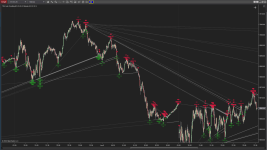
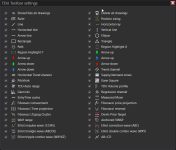
The Advanced Toolbar (TDU Toolbar) is a comprehensive chart drawing and analysis utility designed to enhance NinjaTrader 8’s native capabilities. It consolidates a wide range of both standard and custom technical drawing tools into a single toolbar. The indicator’s purpose is to accelerate manual chart analysis, improve precision when marking levels/patterns, and give traders quick access to important visual tools directly from the chart interfaceKey Features
The Advanced Toolbar indicator includes the following major tools and functions:1. Measurement & Range Tools
- Custom Ruler Tool: Measures range in dollars, ticks, number of bars, and elapsed time between two points.
- Auto-Range Tool: Quickly calculates price range and statistical details without manual measurement.
2. Risk/Reward Visualization
- Risk/Reward Tool: Draws stop-loss, entry, and target levels to display risk/reward ratios, ticks, and profit potential.
3. Volume Analysis
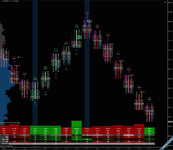
- Volume Profile Drawing Tool: Visualizes traded volume for a selected price region with value area levels such as VAL, VAH, and Point of Control (POC).
4. Pattern and Zone Tools
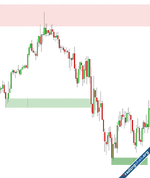
- Supply & Demand Zones: Auto-extending zones highlighting key support and resistance areas.
- Measured Move Tool: Assists in projecting price movement based on historical swings.
5. Fibonacci and Harmonic Tools
- Enhanced Fibonacci Tools: Includes retracements, price projections, time projections, and zigzag tools with additional analytics.
- AB=CD Pattern Drawing: Supports harmonic price structure identification.
6. Wave and Structure Tools
- Elliott Wave Drawing Tools: Labels wave structures such as 1-2-3-4-5, ABC, and more advanced combinations.
- Trend Channel Tools: Used for identifying trends and potential breakout scenarios.
7. Line and Label Tool
- Horizontal Lines & Custom Arrows: Quick placement of key horizontal reference levels and directional annotations.
- Custom Labels: Preset or user-defined labels including HH, LL, Entry, Exit, Support, Resistance, and Breakouts.
8. Indicator Helpers
- ATR and Lag Display: Displays current Average True Range and lag values directly within the toolbar for quick reference.
9. Workflow Enhancements
- Single-Click Delete All Drawings: Instantly removes all chart objects to reset the workspace.
Attachments