- Views: 495
- Replies: 3
Indicator Overview
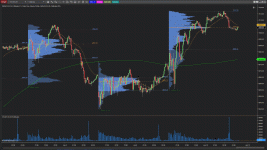
TC Toolbar Buttons is a productivity-focused NinjaTrader 8 indicator that adds customizable toolbar buttons directly to the chart. These buttons allow traders to instantly show or hide selected indicators without opening chart settings or navigating menus.The tool is designed to streamline chart management, reduce screen clutter, and improve workflow efficiency—especially for discretionary traders who frequently switch indicator visibility during live analysis.
Key Features
 One-Click Indicator Visibility Control
- Instantly show or hide indicators directly from the chart toolbar
- No need to open the Indicators window or chart properties
- Changes take effect immediately
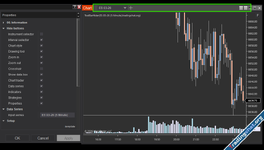
 Up to 5 Configurable Toolbar Buttons
- Enable or disable each button individually
- Assign each button to a specific indicator by name
- Custom text labels for each button
 Visual State Feedback
- Each button uses a custom color when the indicator is visible
- Automatically switches to a “hidden” color when the indicator is turned off
- Provides immediate visual confirmation of indicator state

Attachments